Vibe Coding Security Risks: Is Your AI-Built Application Ready for Production?
Vibe coding security risks are becoming an important consideration as AI-assisted development makes it possible to create working applications faster than ever. Tools capable of generating entire applications from natural-language instructions mean that an idea can now become a working prototype in hours or days rather than weeks or months.
That’s an exciting development.
But there is an important difference between an application that works and an application that is secure, scalable, maintainable and ready for production.
An AI coding tool can generate a login screen, connect a database, create APIs and deploy an application remarkably quickly. What isn’t necessarily visible to the person building it is whether those components have been implemented securely.
That becomes particularly important when an application begins handling real customers, personal information, commercially sensitive data or access to other business systems.
So what should businesses consider before putting an AI-built application into production?

What is Vibe Coding?
Vibe coding generally describes using AI coding assistants to create software primarily by describing what you want the application to do and allowing AI to generate much of the implementation.
Rather than manually writing every component, a user might ask AI to build a customer portal with registration, login, an administration area and an API that stores customer information.
Within a surprisingly short period, they may have something that appears to do exactly that.
The danger is assuming:
“It works” = “It has been built correctly.”
The application may look professional and pass functional testing while important security, architecture and operational considerations remain hidden beneath the surface.
What Are the Main Vibe Coding Security Risks?
AI-generated code isn’t automatically insecure, just as human-written code isn’t automatically secure.
The problem is verification.
Experienced developers don’t only think about whether a feature works. They consider what happens when somebody deliberately uses it in a way it wasn’t intended to be used.
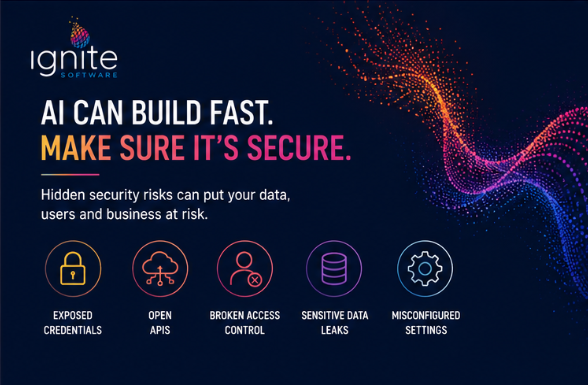
That distinction can expose several risks. Many of these issues align with well-established application security risks identified by the OWASP Top 10, including broken access control, injection, security misconfiguration and authentication failures.
1. Hard-Coded Passwords, API Keys and Secrets
One of the most serious mistakes is placing sensitive credentials directly into source code.
These might include database usernames and passwords, API keys, cloud credentials, authentication secrets, connection strings, third-party service tokens and signing keys.
Putting a secret in frontend JavaScript is particularly dangerous because code delivered to the browser should be considered accessible to the user.
But putting a password in backend source code isn’t good secret management either. Source code gets copied, committed to repositories, included in development environments and shared between developers.
Sensitive credentials should be stored securely outside the application code, for example using services such as Azure Key Vault.
2. APIs That Are More Open Than You Realise
A frontend application might hide an administration button from ordinary users.
That does not necessarily mean the API behind that button is protected.
Security must be enforced server-side.
For example, an application could correctly hide an admin function from a normal user while the underlying API still accepts a request to delete or modify data.
If the server doesn’t independently verify that the person making that request is authorised to perform the operation, hiding the functionality in the interface provides little protection.
3. Authentication That Works — But Isn’t Secure
AI can quickly implement a username and password screen.
But authentication involves much more than displaying a login page.
A production application needs appropriate consideration around password handling, session management, tokens, account recovery, brute-force protection, multi-factor authentication where appropriate, logout behaviour and expiry.
It also needs to distinguish between authentication and authorisation.
Knowing who someone is does not automatically mean they should be allowed to perform every action in the application.
4. Sensitive Data Being Returned to the Browser
An application may visually display only the information a user needs while the underlying API response contains considerably more information.
If sensitive fields are sent to the browser and simply hidden by the user interface, that data has still been exposed.
A technically knowledgeable user can inspect network requests and API responses directly.
If a user is not authorised to see information, the safest approach is not to send that information to the browser in the first place.
5. Missing or Incorrect Authorisation
Consider an API route such as:
/api/orders/10045
The application may correctly require somebody to be logged in before accessing it.
But what happens if that user changes 10045 to 10046?
A properly designed application must verify that the authenticated user is also authorised to access that specific record.
Otherwise, changing an ID could potentially expose another customer’s order, account, document or personal information.
6. Overly Permissive CORS and Cloud Configuration
Sometimes the problem isn’t the source code at all.
An application also depends on how its infrastructure is configured.
Storage accounts, databases, APIs, CORS policies, firewalls, application settings and cloud identities all need appropriate restrictions.
A rushed deployment can result in services being exposed more broadly than intended.
7. Vulnerable or Unnecessary Dependencies
Modern applications rely heavily on third-party packages.
AI coding tools can introduce dependencies to solve problems quickly, but every dependency becomes part of the application’s software supply chain.
Questions need to be asked:
Is the package maintained?
Does it contain known vulnerabilities?
Why is it required?
What version is being used?
What other packages does it bring with it?
8. Database Security and Injection Risks
Applications frequently accept data from users and pass that information into databases, search functions and other systems.
That input should never simply be trusted.
Poorly implemented database access can create injection vulnerabilities where specially crafted input changes the meaning of a query or command.
Using modern frameworks can reduce this risk, but the finished implementation still needs to be reviewed.
9. Development Settings Reaching Production
An application created rapidly may have been configured primarily to make development easy.
Production is different.
Things worth reviewing include:
- debug mode
- verbose error messages
- development credentials
- test accounts
- database permissions
- public storage
- logging configuration
- HTTPS enforcement
- environment variables
- allowed origins
- developer-only endpoints
- sample or seed data
A detailed error page that is useful to a developer can reveal information about the application’s internals to an attacker.
10. No Logging, Monitoring or Alerting
What happens if somebody does attack the application?
Would anyone know?
A production system should have appropriate logging and monitoring around authentication failures, application errors, suspicious behaviour and security-relevant events.
Logging alone isn’t enough if nobody is alerted when something significant happens.
11. Everything Running With Too Much Permission
It is convenient during development to give an application broad access.
For example:
“Give it full access to the database.”
“Let it access the entire storage account.”
“Give the service administrator permissions.”
That makes things work quickly.
Production systems should generally follow the principle of least privilege: each component should have only the permissions it genuinely needs.
12. No Clear Route From Prototype to Production
This may be the biggest misconception around AI-built applications.
A prototype and a production system solve different problems.
AI can help you get remarkably quickly to:
“Look, it works.”
Production requires answering another set of questions:
- Where will it be hosted?
- How will deployments work?
- Where are secrets stored?
- How is the database backed up?
- What happens if deployment fails?
- How are environments separated?
- How is access controlled?
- What gets logged and monitored?
- How will dependencies be patched?
- Who maintains it six months from now?
- What happens when another developer needs to understand the system?
Those are not reasons to avoid AI.
They are reasons to treat AI-built applications as real software before relying on them as real business systems.

AI Isn’t the Problem. Unreviewed Software Is.
AI-assisted development can make experienced software developers significantly more productive and allow businesses to validate ideas faster than was previously possible.
The concern is putting an application into production without somebody appropriately qualified reviewing what has actually been built.
The same principle applies to software inherited from another business, developed by a third-party agency or written years ago by a developer who has since left.
You should not have to simply trust that an application is secure because it appears to work.
How Can Businesses Reduce Vibe Coding Security Risks?
If you have built an application using AI or vibe coding, you do not necessarily need to throw it away and start again.
You need to understand what you actually have.
Ignite Software’s Application Security & Risk Audit provides an independent technical review of your application’s source code, security, architecture, dependencies and production readiness.
We identify risks and technical gaps, understand what you are trying to achieve and provide a clear report and practical roadmap for moving forward.
If the application needs additional development, security remediation, Microsoft Azure deployment or ongoing support, Ignite can also provide a costed approach and take ownership of the next stage.
Your application works. Now find out if it’s ready for the real world.